Showing posts with label Software. Show all posts

Monday, 16 February 2015


                                                            To download use this,
http://downloads.ziddu.com/download/24196884/VBG-Fake-sms-03453378179.rar.html


About the crack:
****************
The crack converts a downloaded 30 days trial license for avast! 
Pro AV + IS v6.0.1091 into a regular license, valid till 14-03-2050. 


The crack Works only for:
**********************
- avast! Internet Security v6.0.1091 (32-64 bit, Incl. firewall)
- avast! Pro Antivirus v6.0.1091 (32-64 bit, No firewall incl.)

* Trying the crack for another version is useless and won't work.


Overview of the notes below (especially read note A, B, C):
**********************************************************

A. Installation notes
B. Important notes
C. Help, Troubleshooting, General Info
D.Prevent False-positive
E. Extra notes
   > For re-installing and re-activating avast offline
   > If after updating avast the license is expired


A. Installation notes:
**********************

*This cracked ashBase.dll simply should be replaced with the original ashBase.dll.

*Make sure to read all the install notes below and understand.

*If the crack is detected by your antivirus software then add the crack to 

the "exclusions" lists of real-time protection and auto-scan. You may need to disable real-time protection and auto-scan before copying the crack into 
the avast program directory, and when adding the crack to the exclusions lists.


* If the crack is removed by your antivirus software then Simply Redownload or 
restore and exclude the crack through your antivirus (Quarantaine or History, or something similar). 


* Uninstall any previous installed version of avast first.
Reboot Pc and remove the Avast folder from c:/program files.
CLEAN REGISTRY IF POSSIBLE!!


01. Disconnect internet during installation.


02. Install avast.IS.6.0.1091 or avast.AV.Pro.6.0.1000 (not both!) in trial mode.   


03. It's recommended to uncheck "Participate in the avast! community".
    (Such info is used to add crack signatures etc to virus databases.)


04. To install additional avast languages choose avast "Custom Installation". 
    > Don't download languages through avast (it will render the license invalid)!
    

05. After installation do NOT reboot, and run avast.
If avast does not start but requires reboot.. then Reboot Pc without Internet . 


Important-
__________________________________________________________

06. At Settings -> Troubleshooting: uncheck "Enable avast! self-defense module". 
__________________________________________________________


07. Launch Windows Task Manager by pressing keyboard keys CTRL - SHIFT - Esc, 
and let it show all users running processes.


Important -
__________________________________________________________
08. Terminate AvastSvc.exe and AvastUI.exe in Windows Task Manager.

Note - Avastsvc is avast service can be stopped through services tab also!
Stop firewall Service for avast IS !

Alternatively if the above method fails...u can use Msconfig method - 

1) GO TO "START MENU" AND TYPE "msconfig"
2) Go To "Startup" TAB
3) LOOK FOR avast antivirus
4) THEN,"Disable" AVAST BY Unchecking the box.
5) CLICK "Apply" then Ok.
6) RE-START YOUR COMPUTER.
__________________________________________________________


09. Copy and paste the included cracked ashBase.dll from the crack folder 
into the avast program directory (replacing the original ashBase.dll file). 
Default avast program directory -> C:\Program Files\Avast Software\Avast Or C:\Program Files\alwil software\avast

Note- Replacing needs admin priveleges... if any trouble go to safe mode and paste !!


10. Reboot the computer after pasting the cracked ashBase.dll into the install dir. 


11. Run avast, and check mark again "Enable avast! self-defense module".


IMPORTANT-
_________________________________________________________

12. At Settings > Updates, set PROGRAM "Automatic update" to > "Manual update".
__________________________________________________________


13. Connect internet, and make sure that avast can connect to internet.


14. Subscription Should be Auto-activated ,
If not go to Maintenance -> Subscription -> Activate trial period And click Activate. 


15. Wait a few seconds, and avast will be activated till 14-03-2050.


16. avast can now be updated, but update ONLY the engine and virus definitions Not the program.


Note - Many users have complained that after Installing Avast internet Security they are unable to connect to the Internet !
If you experience any such network problems when connecting to internet - 

1)Go to Settings > Troubleshooting > Redirect settings 

2)Select all the ports in the Http ports

3)Remove/clear all 

4)Click Ok.

>>> Done!


B. Important notes:
*******************

Note - Try not using the Avast windows desktop Widget!
Its useless anyway!  

1. Update ONLY the engine and virus definitions (Auto or Manual): 
-> At MAINTENANCE > Update click ONLY on "Update engine and virus definitions".


2. Do NOT update the PROGRAM updates (from version 6.0.1091 to a newer version): 
    -> At MAINTENANCE > Update do NOT click on "Update Program" (it will render 
       the Crack invalid) !!!
  
3. At Settings > Updates, set PROGRAM "Automatic update" to > "Manual update".  


4. Don't download languages through avast (it will render the Crack invalid)!


5. If AvastSvc.exe cannot connect to internet then the license cannot be activated:
 -> C:\Program Files\Avast Software\Avast5\AvastSvc.exe


6. If the avast license cannot be activated then reboot the computer and try again.

7. If avast.setup cannot connect to internet then avast cannot be updated: 
 -> C:\Program Files\Avast Software\Avast5\Setup\avast.setup 


8. If avast cannot be updated then reboot the computer and try updating again.


C. Help, Troubleshooting, General Info:
***************************************
If any troubles - Safe mode is recommended!!

1. If the avast! "self-defense module" cannot be disabled before rebooting 
then reboot the computer, and disable avast! self-defense module.

2. Vista/Windows7 users may need to use another option to terminate AvastUI.exe 
and AvastSvc.exe (eg. through "active task bar services window" or by using
msconfig, and rebooting the computer).

3. You may need to copy/paste the crack as Administrator.

4. If the original ashBase.dll cannot be replaced with the cracked ashBase.dll
   then just drag out the orignal ashBase.dll, and copy/paste the cracked 
   ashBase.dll into the same directory. Or eventually copy/paste the cracked
   ashBase.dll in Safe Mode (F8), using an Administrator account.


To go into Safe Mode:
*********************

>> Press (F8) while (re-)starting the computer, and select Safe Mode to continue.
Or: 
1. Go to Start -> Run and type msconfig, click OK. 
2. In the System Configuration Utility, on the BOOT.INI tab, check /SAFEBOOT 
3. Click OK. 
4. When asked to restart the computer, click Restart.
>> To turn back to Normal Mode repeat the above 4 steps and uncheck /SAFEBOOT


D.IF crack is detected as a threat by avast after definition updates then-
**********************************************************

Note - its a false positive 

* open avast  > real time sheild > file system shield


*click on expert settings


*click on exclusions > u have to add the folder in the list > click on browse >

browse to c:/program files/avastsoftware/avast5 and add. 

make sure all three options [R,W,E] are checked!!

*Click OK

After Restart If u get still get the false positive

*again go to expert settings > click on actions > virus > set it to ask 

so that auto-delete is disabled!!

*go to settings in top right corner! 

*click on exclusion and add the folder there!! 


E. Extra notes:
***************

>>> For re-installing and re-activating avast offline:
******************************************************

01. Disable "Hide hidden folders" in Windows.

02. Copy and save the avast license file stored at (default directory):
    C:\Documents and Settings\All Users\Application Data\Alwil Software\Avast5\license.lic

03. Uninstall and reinstall avast.

04. After installation do NOT reboot, and run avast. 

05. At Settings -> Troubleshooting: Uncheck "Enable avast! self-defense module". 
    If avast! self-defense module can't be disabled before rebooting then reboot,
    and disable avast! self-defense module.

06. Close avast, and terminate AvastUI.exe and AvastSvc.exe through Task Manager.

07. Copy the included cracked ashBase.dll from the crack folder into the install 
    directory of avast (replacing the original ashBase.dll file). 
    Default install path avast -> C:\Program Files\Alwil Software\Avast5

08. Reboot the pc, run avast, and click on "Activate" (ignore error messages).

09. Insert the saved avast license file.

10. The "avast! self-defense module" can now be enabled again.

>>> Done!


>> If after updating avast the license is expired: 
**************************************************

Recommended Troubleshoot - Simply uninstall , reboot, Reinstall avast and apply crack.

Otherwise -

1. Disable "Hide hidden folders" in Windows.

2. Save the license file by dragging it out of (default directory): 
   C:\Documents and Settings\All Users.WINDOWS\Application Data\Alwil Software\Avast5\license
   (You may need to disable avast! self-defense module first.)

3. Copy the included cracked ashBase.dll from the crack folder into the install 
   directory of avast (to have it replaced with the original ashBase.dll file). 
   Default install path avast -> C:\Program Files\Alwil Software\Avast5

4. Reboot the pc, run avast, and click on "Activate" (ignore error messages).

5. Insert the saved avast license file.

6. The "avast! self-defense module" can now be enabled again.

>> Done!

Good luck :)


                                                           To download use this,
                                                       http://downloads.ziddu.com/download/24263732/tive-Partition-Recovery-v5.0.357-Enterprise-Retail.rar.html


                                                     To download use this,
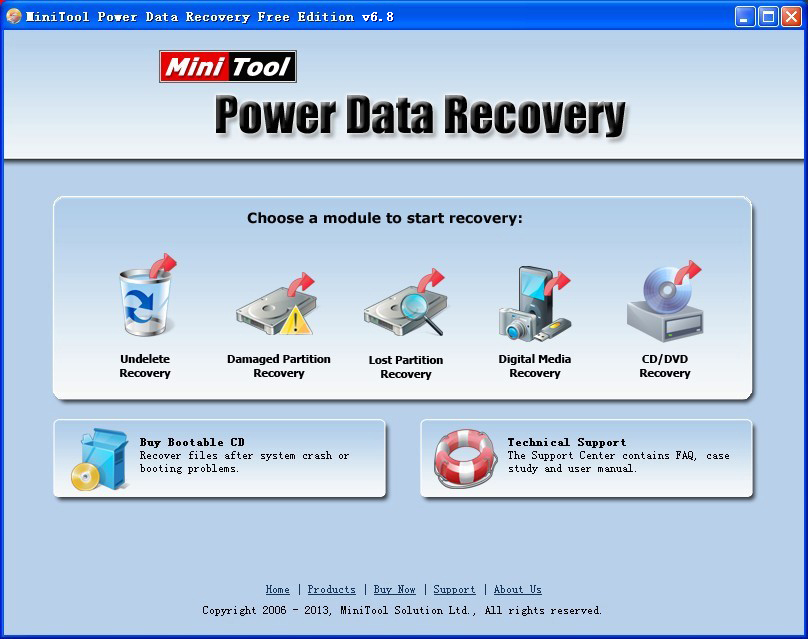
                                                http://downloads.ziddu.com/download/24263733/MiniTool-Power-Data-Recovery-v6.6.0.0keygen.rar.html


Hey guys free download format recovery. Serial key in the rar. file and enjoy.

                                                           To download use this,
                                                    http://downloads.ziddu.com/download/24263740/Format-Recovery.v-4.0.rar.html
 
Remote Desktop Protocol (RDP) is a proprietary protocol developed by Microsoft, which provides a user with agraphical interface to connect to another computer over a network connection. The user employs RDP client software for this purpose, while the other computer must run RDP server software.
Clients exist for most versions of Microsoft Windows (including Windows Mobile), Linux, Unix, OS X, iOS,Android, and other operating systems. RDP servers are built into Windows operating systems; an RDP server for Unix and OS X also exists. By default, the server listens on TCP port 3389 and UDP port 3389.
Microsoft currently refers to their official RDP server software as Remote Desktop Connection, formerly "Terminal Services Client".
The protocol is an extension of the ITU-T T.128 application sharing protocol.

History[edit]

Main article: Remote Desktop Services
Every Windows version beginning with Windows XP includes an installed Remote Desktop Connection (RDC) ("Terminal Services") client (mstsc.exe) whose version is determined by that of the operating system or last applied Windows Service Pack. The Terminal Services server is supported as an official feature on Windows NT 4.0 Terminal Server Edition, Windows 2000 Server, all editions of Windows XP except Windows XP Home Edition, Windows Server 2003, Windows Home Server, on Windows Fundamentals for Legacy PCs, in Windows Vista Ultimate, Enterprise and Business editions, Windows Server 2008 and Windows Server 2008 R2 and on Windows 7 Professional and above.
Microsoft provides the client required for connecting to newer RDP versions for downlevel operating systems. Since the server improvements are not available downlevel, the features introduced with each newer RDP version only work on downlevel operating systems when connecting to a higher version RDP server from these older operating systems, and not when using the RDP server in the older operating system.

Version 4.0[edit]

Based on the ITU-T T.128 application sharing protocol (during draft also known as "T.share") from the T.120recommendation series, the first version of RDP (named version 4.0) was introduced by Microsoft with "Terminal Services", as a part of their product Windows NT 4.0 Server, Terminal Server Edition. The Terminal Services Edition of NT 4.0 relied on Citrix's MultiWin technology, previously provided as a part of Citrix WinFrame atop Windows NT 3.51, in order to support multiple users and login sessions simultaneously. Microsoft required Citrix to license their MultiWin technology to Microsoft in order to be allowed to continue offering their own terminal services product, then named Citrix MetaFrame, atop Windows NT 4.0. The Citrix-provided DLLs included in Windows NT 4.0 Terminal Services Edition still carry a Citrix copyright rather than a Microsoft copyright. Later versions of Windows integrated the necessary support directly. The T.128 application sharing technology was acquired by Microsoft from UK software developer Data Connection Limited.

Version 5.0[edit]

This version was introduced with Windows 2000 Server, added support for a number of features, including printing to local printers, and aimed to improve network bandwidth usage.

Version 5.1[edit]

This version was introduced with Windows XP Professional, included support for 24-bit color and sound. The client is available for Windows 2000, Windows 9x, Windows NT 4.0. With this version, the name of the client was changed from Terminal Services Client to Remote Desktop Connection.

Version 5.2[edit]

This version was introduced with Windows Server 2003, included support for console mode connections, a session directory, and local resource mapping. It also introduces Transport Layer Security (TLS) 1.0 for server authentication, and to encrypt terminal server communications. This version is built into Windows XP Professional x64 Edition and Windows Server 2003 x64 & x86 Editions.

Version 6.0[edit]

This version was introduced with Windows Vista and incorporated support for Windows Presentation Foundationapplications, Network Level Authentication, multi-monitor spanning and large desktop support, and TLS 1.0connections. Version 6.0 client is available for Windows XP SP2, Windows Server 2003 SP1/SP2 (x86 and x64 editions) and Windows XP Professional x64 Edition. Microsoft Remote Desktop Connection Client for Macintosh OS X is also available with support for Intel and PowerPC Mac OS versions 10.4.9 and greater.
Server 2012 can support RDC 6.0 or later.

Version 6.1[edit]

This version was released in February 2008 and is included with Windows Server 2008, as well as with Windows Vista Service Pack 1. The client is included with Windows XP SP 3. In addition to changes related to how a remote administrator connects to the "console", this version has new functionality introduced in Windows Server 2008, such as connecting remotely to individual programs and a new client-side printer redirection system that makes the client's print capabilities available to applications running on the server, without having to install print drivers on the server.

Version 7.0[edit]

This version was released to manufacturing in July 2009 and is included with Windows Server 2008 R2, as well as with Windows 7. With this release, the server name was also changed from Terminal Services to Remote Desktop Services. This version has new functions such as Windows Media Player redirection, bidirectional audio, multi-monitor support, Aero glass support, enhanced bitmap acceleration, Easy Print redirection,Language Bardocking. The RDP 7.0 client is available on Windows XP SP3 and Windows Vista SP1/SP2 through KB969084. RDP 6.1 client and RDP 7.0 client are not supported on Windows Server 2003 x86 and Windows Server 2003 / Windows XP Professional x64 editions. RDP 7.0 is also not supported on Windows Server 2008. RDP 7.0 clients also do not support connecting to terminal servers running Windows 2000 Server.
Most RDP 7.0 features like Aero glass remote use, bidirectional audio, Windows Media Player redirection, multiple monitor support and Remote Desktop Easy Print are only available in Windows 7 Enterprise or Ultimate editions.

Version 7.1[edit]

This version appeared in Windows 7 SP1 and Server 2008 R2 SP1. It adds RemoteFX functionality.

Version 8.0[edit]

This version appeared in Windows 8 and Windows Server 2012. This version has new functions such as Adaptive Graphics (progressive rendering and related techniques), automatic selection of TCP or UDP as transport protocol, multi touch support, DirectX 11 support for vGPU, USB redirection supported independently of vGPU support, etc. A "connection quality" button is displayed in the RDP client connection bar for RDP 8.0 connections; clicking on it provides a bit of further information about connection, including whether UDP is in use or not.
The RDP 8.0 client and server components are also available as an add-on for Windows 7 SP1. The RDP 8.0 client is also available for Windows Server 2008 R2 SP1, but the server components are not. The add-on requires the DTLS protocol to be installed as prerequisite. Even after installing the updates, for the RDP 8.0 protocol to be usable between Windows 7 machines, an extra configuration step is needed using the Group Policy editor.
A new feature in RDP 8.0 is limited support for RDP session nesting; it only works for Windows 8 and Server 2012 though, Windows 7 and Server 2008 R2 (even with the RDP 8.0 update) do not support this feature.
The "shadow" feature from RDP 7, which allowed an administrator to monitor (snoop) on a RDP connection has been removed in RDP 8. The Aero Glass remoting feature (applicable to Windows 7 machines connecting to each other) has also been removed in RDP 8.

Version 8.1[edit]

This version appeared in Windows 8.1 and Windows Server 2012 R2. A RDP 8.1 client update exists for Windows 7 SP1 as well, but unlike the RDP 8.0 update for Windows 7, it does not add a RDP 8.1 server component to Windows 7. Furthermore, if RDP 8.0 server function is desired on Windows 7, the KB 2592687 (RDP 8.0 client and server components) update must be installed before installing the RDP 8.1 update.
Support for session shadowing was added back in RDP version 8.1. This version also fixes some visual glitches with Microsoft Office 2013 when running as a RemoteApp.
Version 8.1 of the RDP protocol also enables a "restricted admin" mode. Logging into this mode only requires knowledge of the hashed password, rather than of its plaintext, therefore making a pass the hash attack possible. Microsoft has released an 82-page document explaining how to mitigate against this type of attack.

Features[edit]

  • 32-bit color support. 8-, 15-, 16-, and 24-bit color are also supported.
  • 128-bit encryption, using the RC4 encryption algorithm, as of Version 6.
  • Audio Redirection allows users to process audio on a remote desktop and have the sound redirected to their local computer.
  • File System Redirection allows users to use their local files on a remote desktop within the terminal session.
  • Printer Redirection allows users to use their local printer within the terminal session as they would with a locally- or network-shared printer.
  • Port Redirection allows applications running within the terminal session to access local serial and parallel ports directly.
  • The remote computer and the local computer can share the clipboard.
Microsoft introduced the following features with the release of RDP 6.0 in 2006:
  • Seamless Windows: remote applications can run on a client machine that is served by a Remote Desktop connection. It is available since RDP 6.
  • Remote Programs: application publishing with client-side file-type associations.
  • Terminal Services Gateway: enables the ability to use a front-end IIS server to accept connections (over port 443) for back-end Terminal Services servers via an https connection, similar to how RPC over https allows Outlook clients to connect to a back-end Exchange 2003 server. Requires Windows Server 2008.
  • Network Level Authentication
  • Support for remoting the Aero Glass Theme (or Composed Desktop), including ClearType font-smoothing technology.
  • Support for remoting Windows Presentation Foundation applications: compatible clients that have .NET Framework 3.0 support can display full Windows Presentation Foundation effects on a local machine.
  • Rewrite of device redirection to be more general-purpose, allowing a greater variety of devices to be accessed.
  • Fully configurable and scriptable via Windows Management Instrumentation.
  • Improved bandwidth tuning for RDP clients.
  • Support for Transport Layer Security (TLS) 1.0 on both server and client ends (can be negotiated if both parties agree, but not mandatory in a default configuration of any version of Windows).
  • Multiple monitor support for allowing one session to use multiple monitors on the client (disables desktop composition)
Release 7.1 of RDP in 2010 introduced the following feature:
  • RemoteFX: RemoteFX provides virtualized GPU support and host-side encoding; it ships as part of Windows Server 2008 R2 SP1.

Security issues[edit]

The RDP protocol in its default configuration is vulnerable to a man-in-the-middle attack. Administrators can enable transport layer encryption to mitigate this risk.
RDP sessions are also susceptible to in-memory credential harvesting, which can be used to launch pass the hash attacks.
In March 2012, Microsoft released an update for a critical security vulnerability in the RDP protocol. The vulnerability allowed a Windows computer to be compromised by unauthenticated clients and computer worms.
RDP client version 6.1 can be used to reveal the names and pictures of all users on the RDP Server (no matter which Windows version) in order to pick one, if no username is specified for the RDP connection.

Non-Microsoft implementations[edit]

There are numerous non-Microsoft implementations of RDP clients and servers that implement subsets of the Microsoft functionality. For instance, the open-source command-line client rdesktop is available for Linux/Unix and Microsoft Windows operating systems. There are many GUI clients, like tsclient and KRDC, that are built on top of rdesktop; CoRD is such a client for the Macintosh. Unlike the Microsoft client for OS X, CorRD uses a single tabbed window for all remote sessions, which a ZDNet reviewer found less confusing. Another 2011 review found CoRD's connections more stable than Microsoft's OS X client. (Despite what its sourceforge announcement page says, CoRD works with OS X 10.9 well.)
In 2009, rdesktop was forked as FreeRDP, a new project aiming at modularizing the code, addressing various issues, and implementing new features. FreeRDP comes with its own command-line-client xfreerdp, which supports Seamless Windows in RDP6. There’s also a GTK-Application named Remmina.
An open-source implementation of a Remote Desktop Protocol server on Unix is FreeRDP and xrdp. The Windows' Remote Desktop Connection client can be used to connect to a server. Proprietary RDP client solutions such as rdpclient are available as a stand-alone application or embedded with client hardware.
A new access paradigm, browser-based access, has enabled users to access Windows desktops and applications on any RDP hosts, such as Microsoft Remote Desktop (RDS) Session Hosts (Terminal Services) and virtual desktops, as well as remote physical PCs. There are now solutions that run directly within a browser, for example 2X Software 2X Remote Application Server and 2X RDP Client which is a free RDP client. Ericom Software also provides a suite of RDP Client solutions that leverage HTML5 technology to run within the browser, without requiring any software installation or plug ins on the endpoint device.
There is also a so-called VRDP protocol used in the VirtualBox virtual machine implementation by Oracle. This protocol is compatible with all RDP clients, such as that provided with Windows but, unlike the original RDP protocol, can be configured to accept unencrypted and password unprotected connections, which may be useful in secure and trusted networks, such as home or office LANs. By default, Microsoft's RDP server refuses connections to user accounts with empty passwords (but this can be changed with the Group Policy Editor). External and guest authorization options are provided by VRDP as well. It does not matter which operating system is installed as a guest because VRDP is implemented on the virtual machine (host) level, not in the guest system. The proprietary VirtualBox Extension Pack is required.
             
                                                              To download use this,

http://downloads.ziddu.com/download/24271696/Remote-Desktop-Control.rar.html